Jira Cloud app · Atlassian Marketplace

See what changed in your teams' delivery, why, and where to look.

PulseView turns resolved Jira work into a ranked brief for tech leads, managers and CTOs: what changed, the rule behind each finding, and the team, person or chart that proves it. Read-only scopes, no external calls.

Free for teams of up to 10 users.
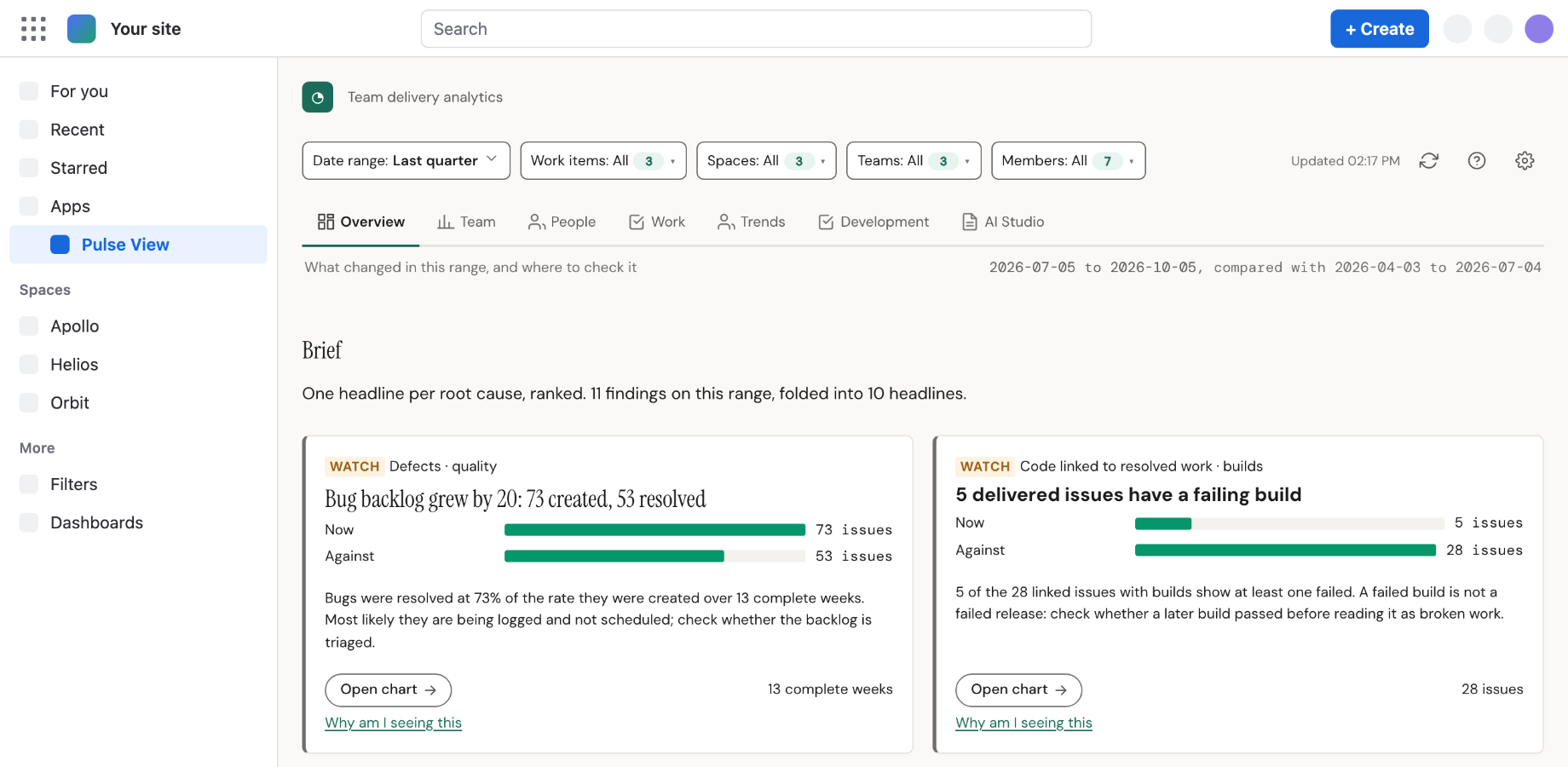
The Overview brief: findings ranked by root cause, each with its evidence, its reading and a next step.
Video

PulseView in 30 seconds

Playing the video loads it from YouTube. Watch on YouTube

Overview brief

Know what changed, and why, in one screen

Every finding explains itself. Open PulseView on a ranked brief: one headline per root cause, measured against the previous period, each with the rule and threshold that raised it and a link to the chart that proves it.

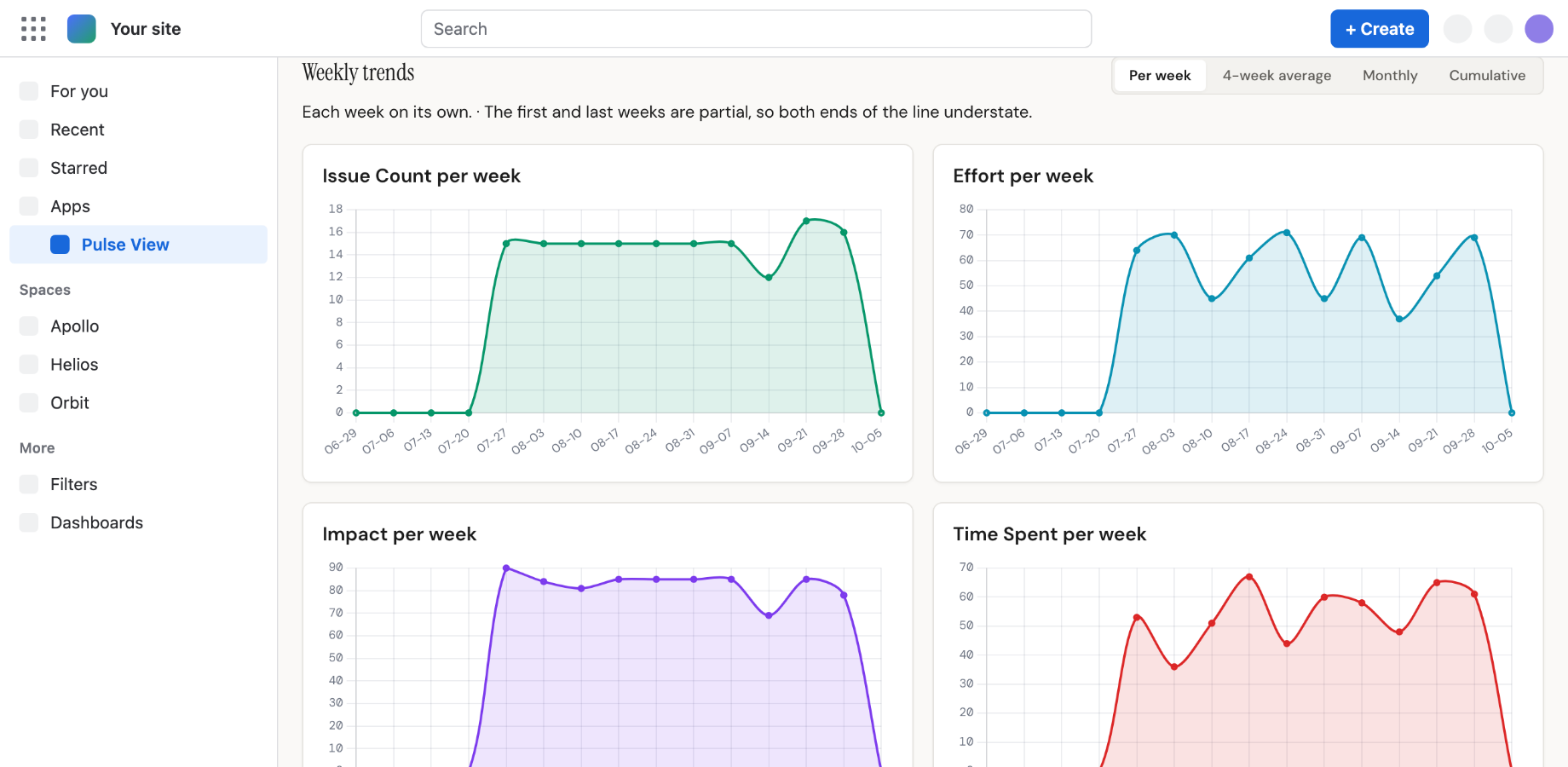
Weekly trends for issue count, effort, impact and time spent: per week, 4-week average, monthly or cumulative.
Trends
Weekly trends for issue count, effort, impact and time spent: per week, 4-week average, monthly or cumulative.
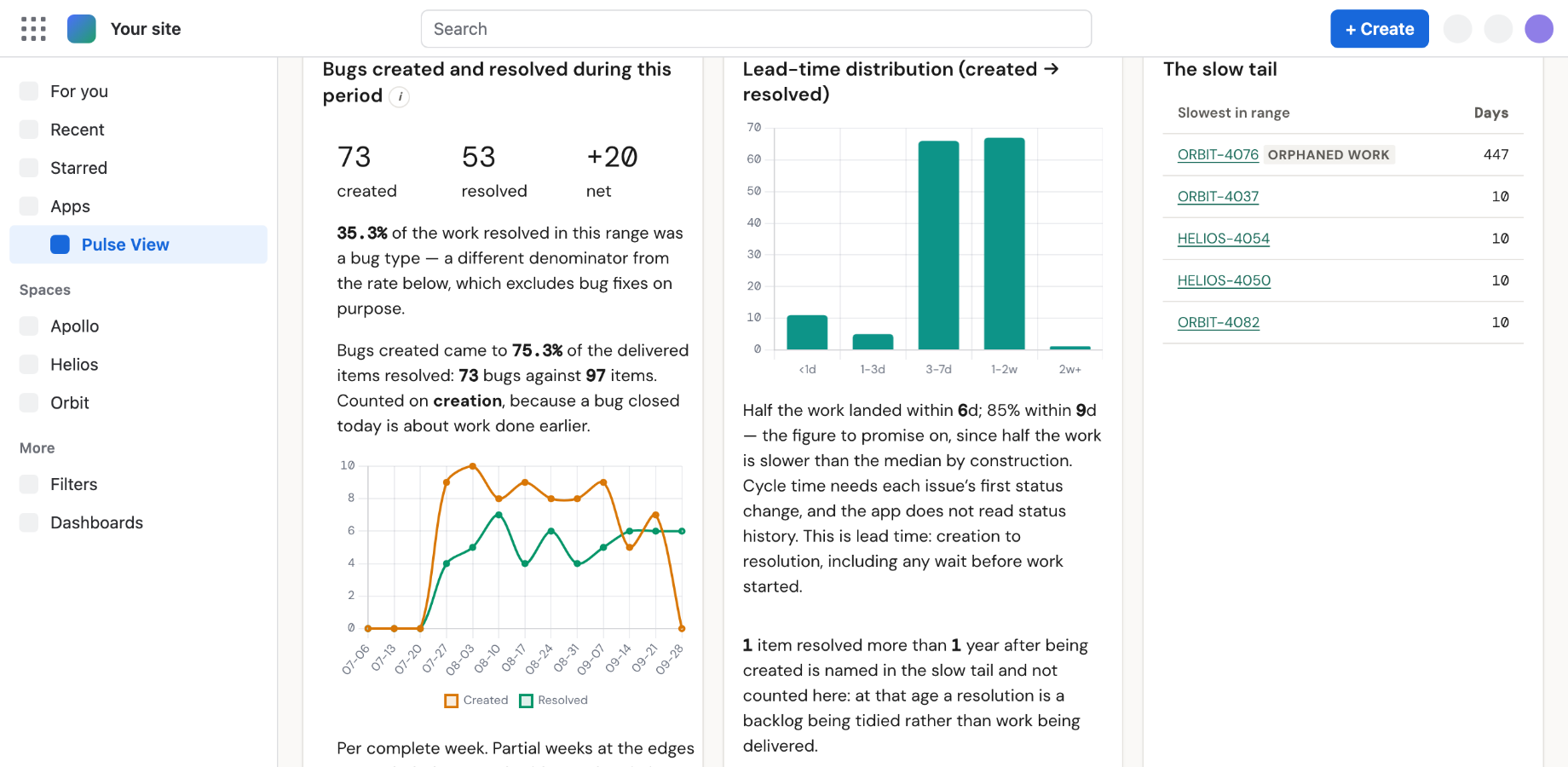
The Work tab: bugs created against resolved, the lead-time distribution and the slow tail of the range.
Work
Bugs created against resolved, the lead-time distribution and the slow tail of the range.
Team and People

Compare teams and support people fairly

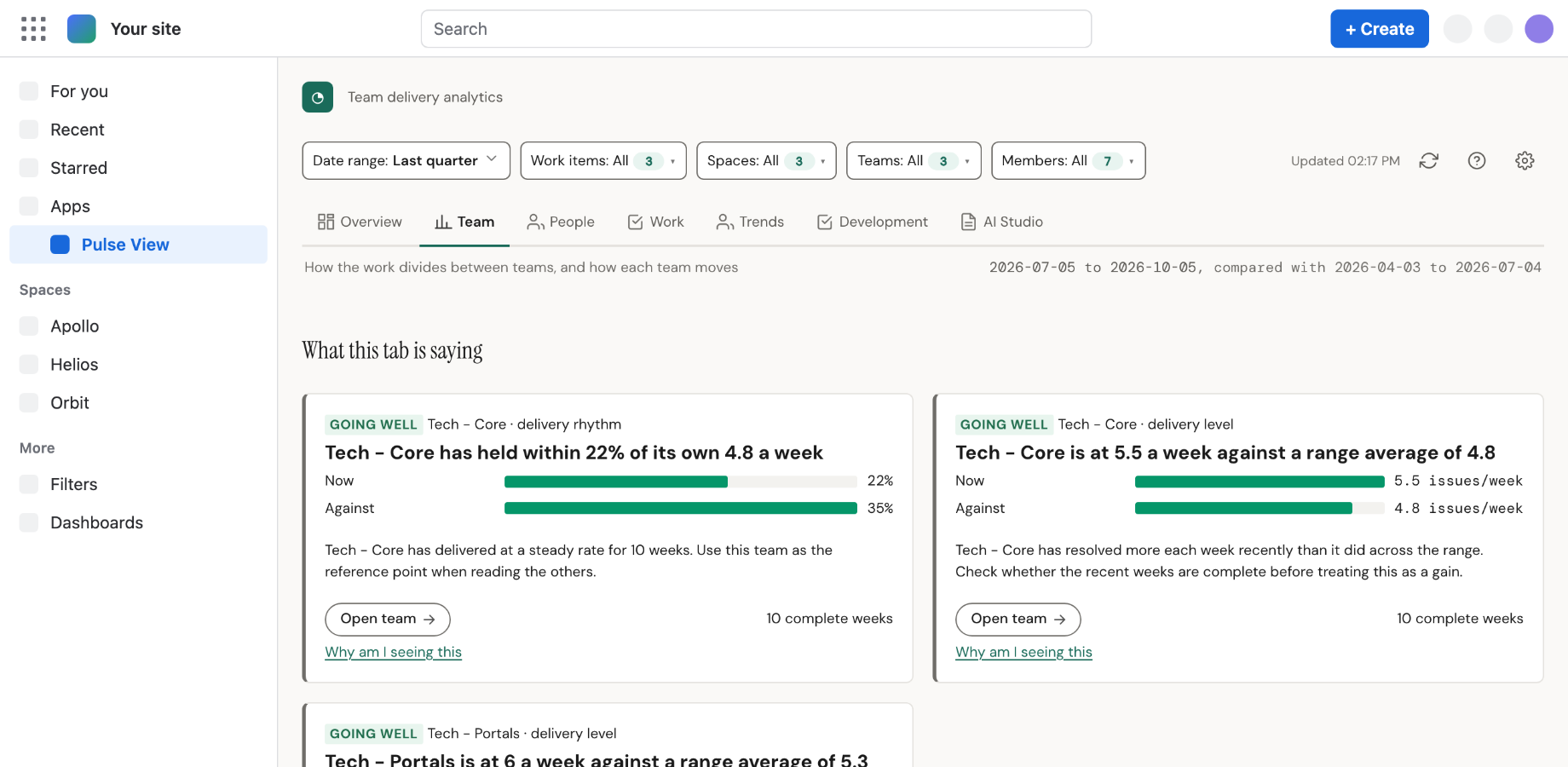
The Team tab: each team read against its own rhythm, with the evidence one click away.
Each team read against its own rhythm
Compare teams grouped by the Atlassian Team on each issue. Open any member's Performance Index term by term, with recognition and support signals, not a leaderboard. You decide who sees which teams.
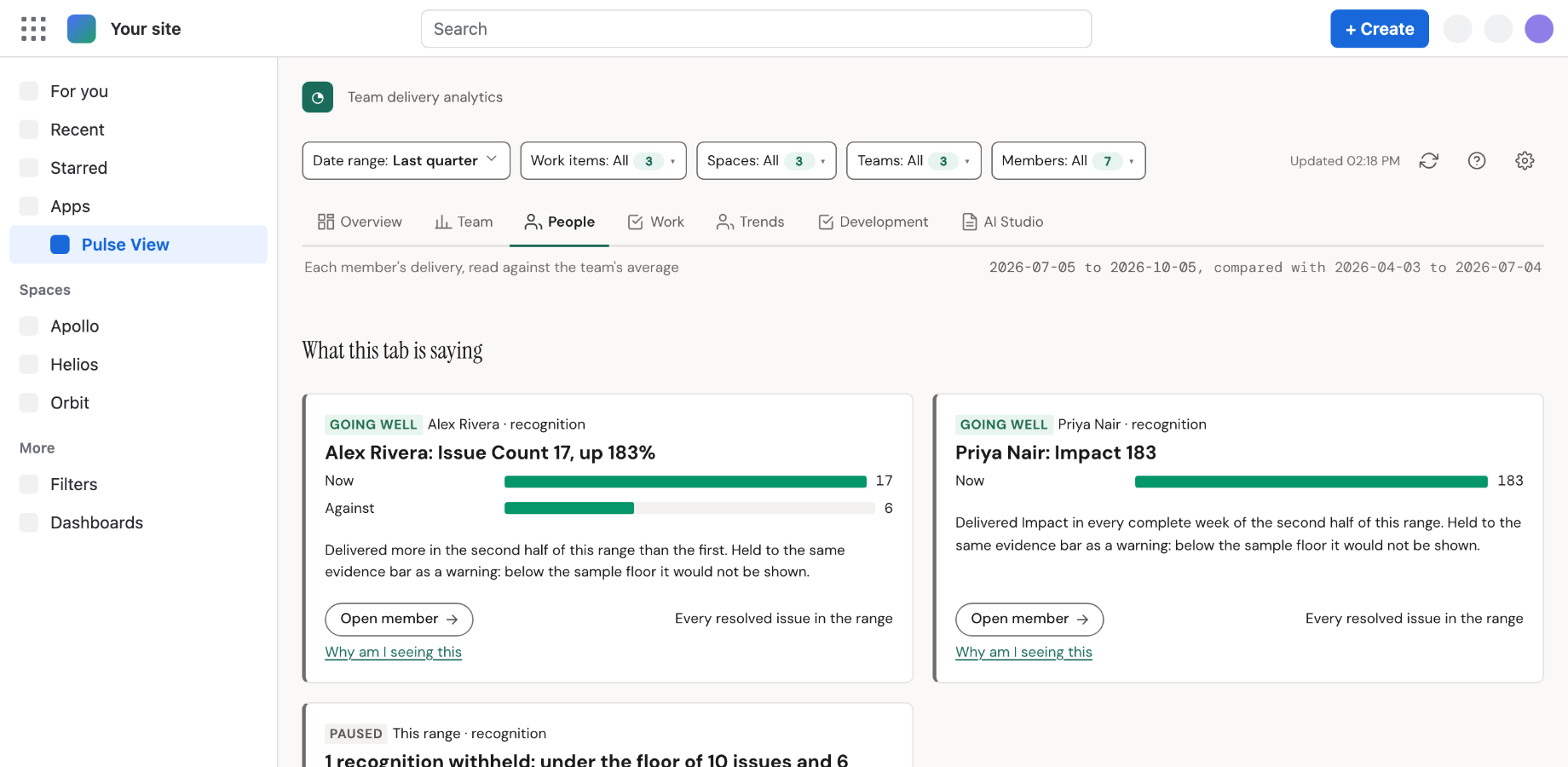
The People tab opens on recognition opportunities and support signals, each with the evidence behind it.
People
Opens on recognition opportunities and support signals, each with the evidence behind it.
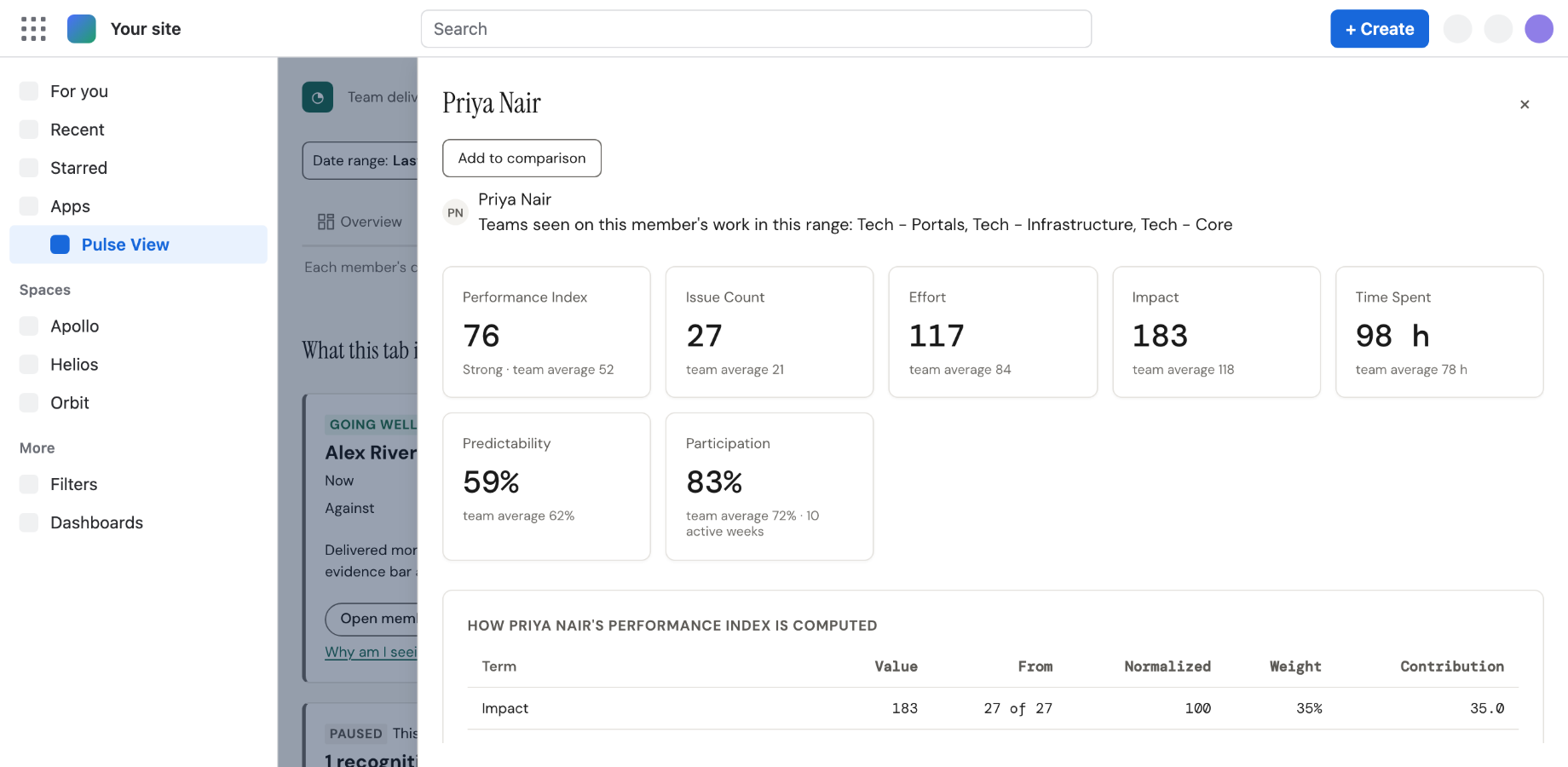
One member's Performance Index, term by term: value, normalised score, weight and contribution.
Performance Index, term by term
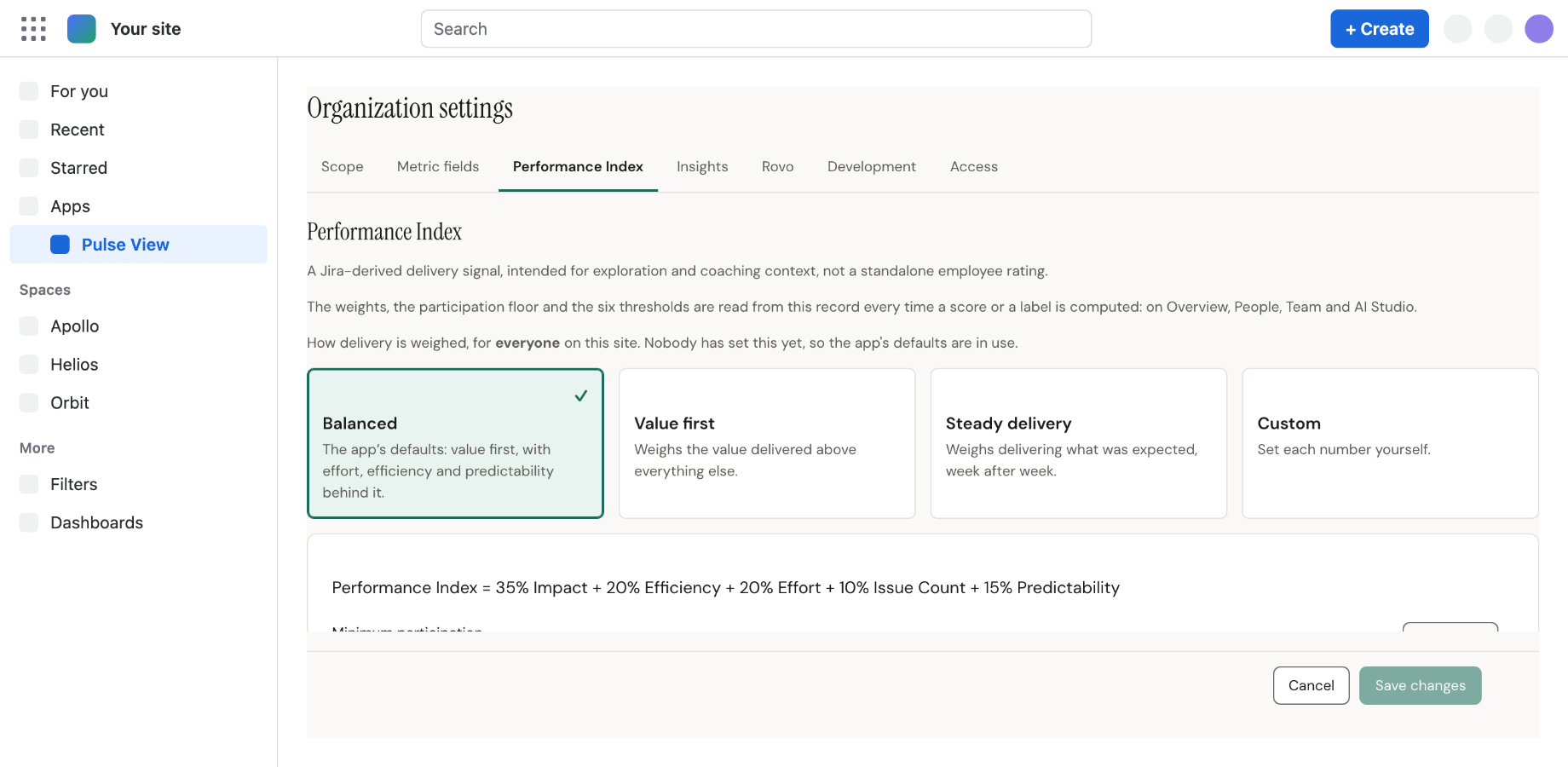
One member's Performance Index: value, normalised score, weight and contribution, computed with the weights your site chose.
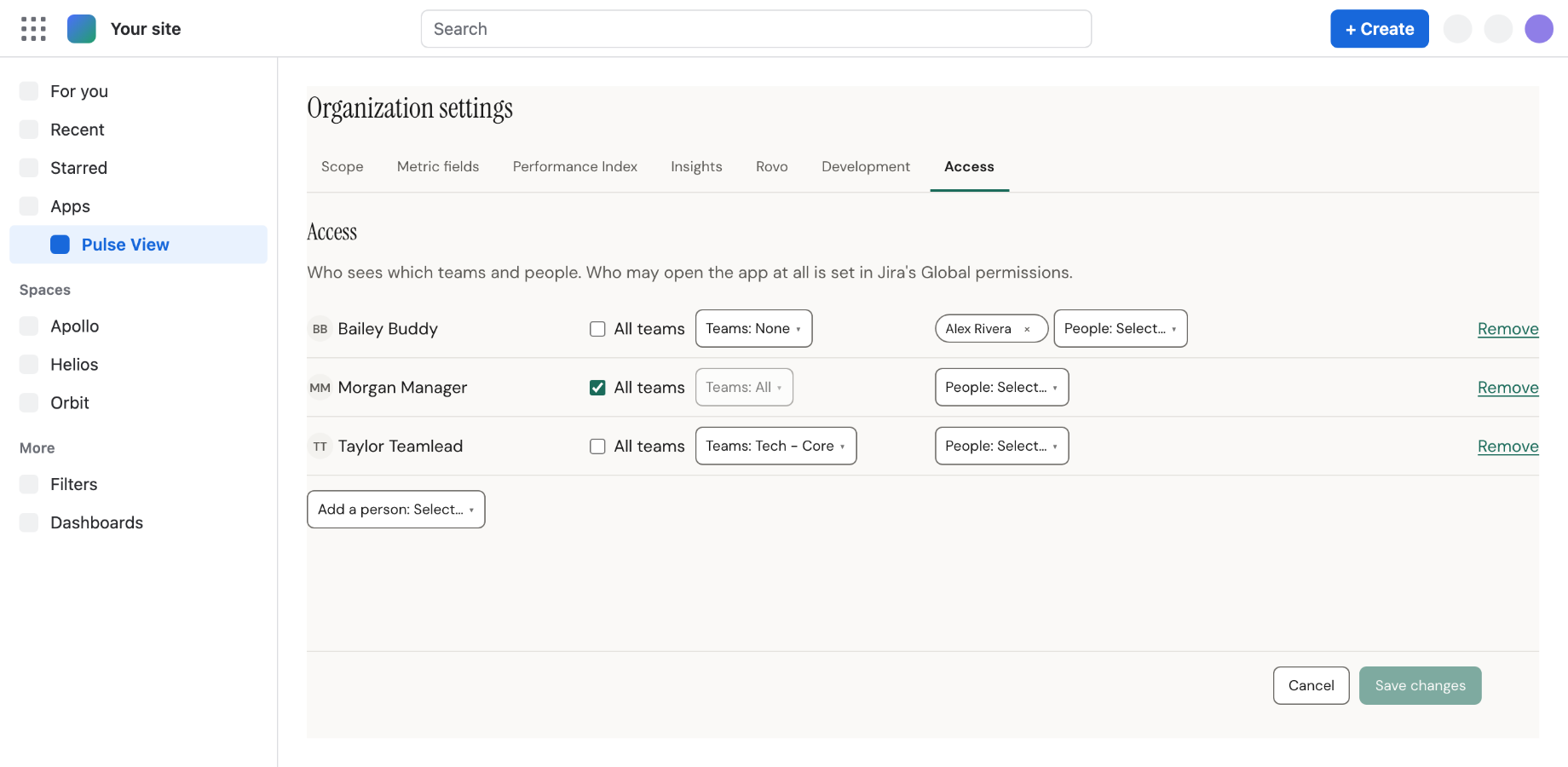
The administrator decides who sees which teams and people: all teams, chosen Jira Teams or chosen people. Every figure is computed on the server over what each reader may see.
Access
The administrator decides who sees which teams and people: all teams, chosen Jira Teams or chosen people. Every figure is computed on the server over what each reader may see.
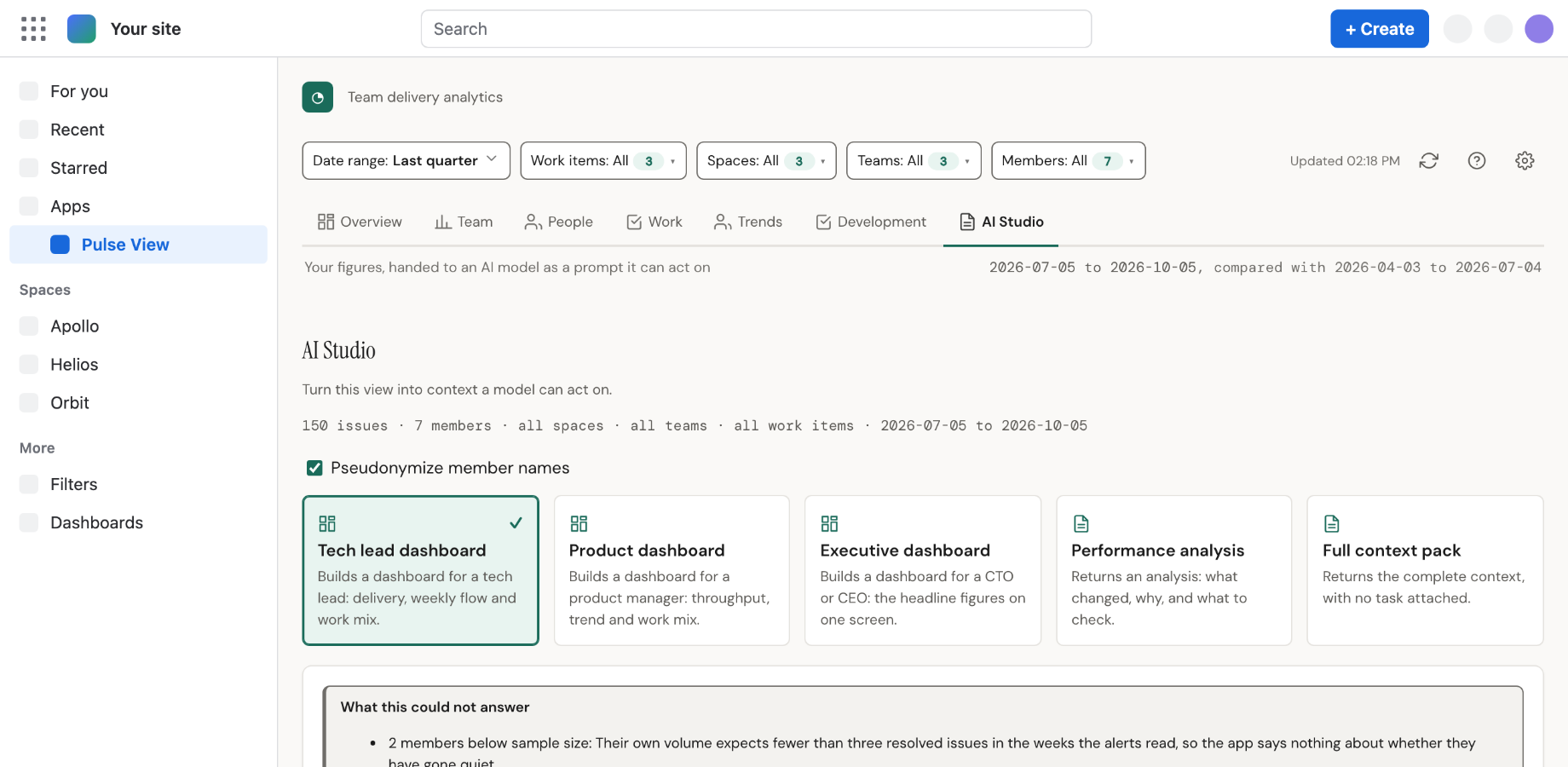
AI Studio

Your delivery figures, ready for any AI

AI Studio: five ready-made briefs carrying the full computed context, and what the data could not answer.
A complete prompt, names pseudonymised by default
AI Studio turns the view into a complete prompt for a tech lead, product or executive dashboard, with member names pseudonymised by default. Copy it or download Markdown: the app itself never calls a model.
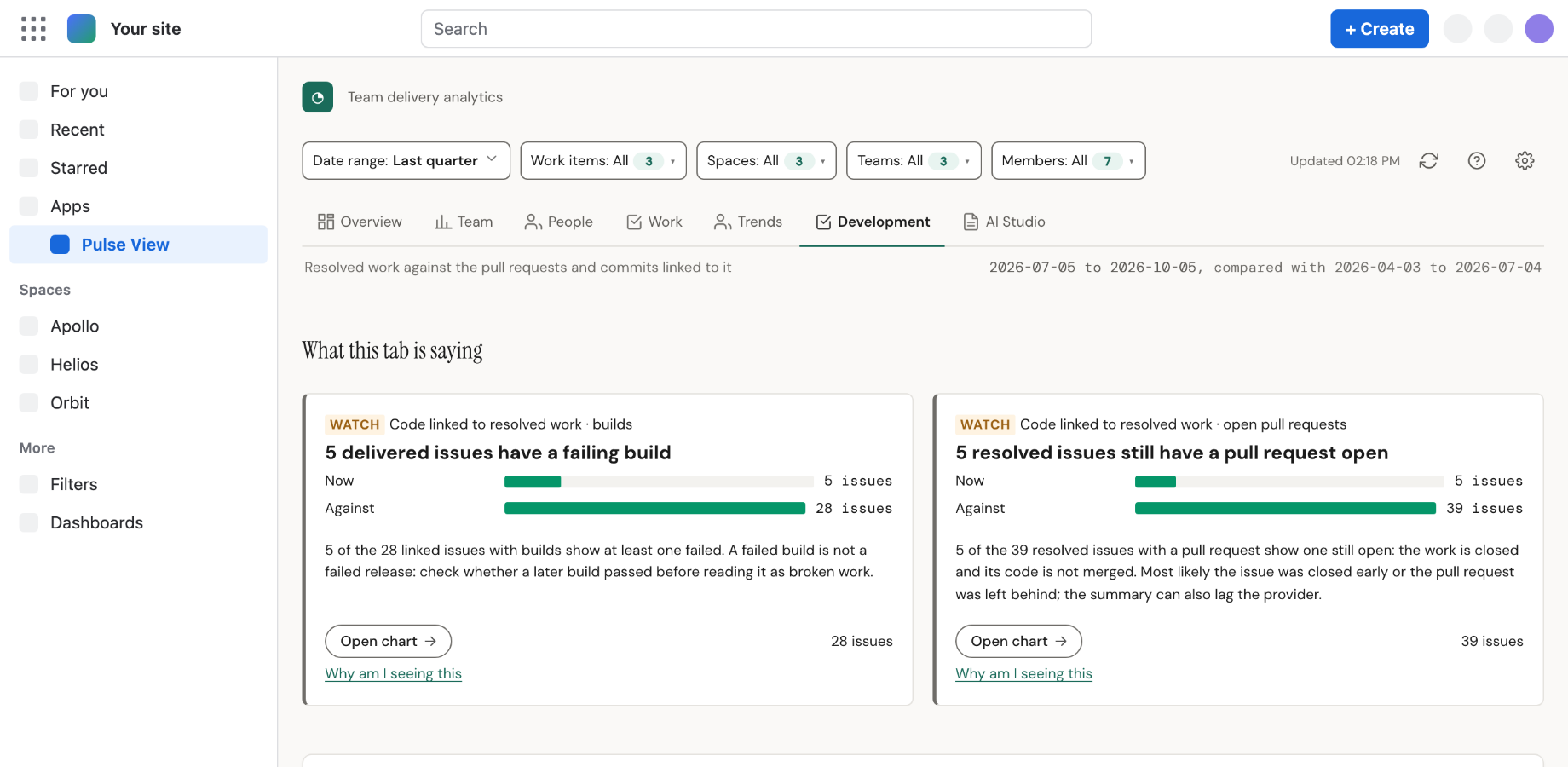
Optional Development tab: resolved work with code linked, pull requests still open and failing builds, from Jira's own Development field.
Development (optional)
Resolved work with code linked, pull requests still open and failing builds, from Jira's own Development field.
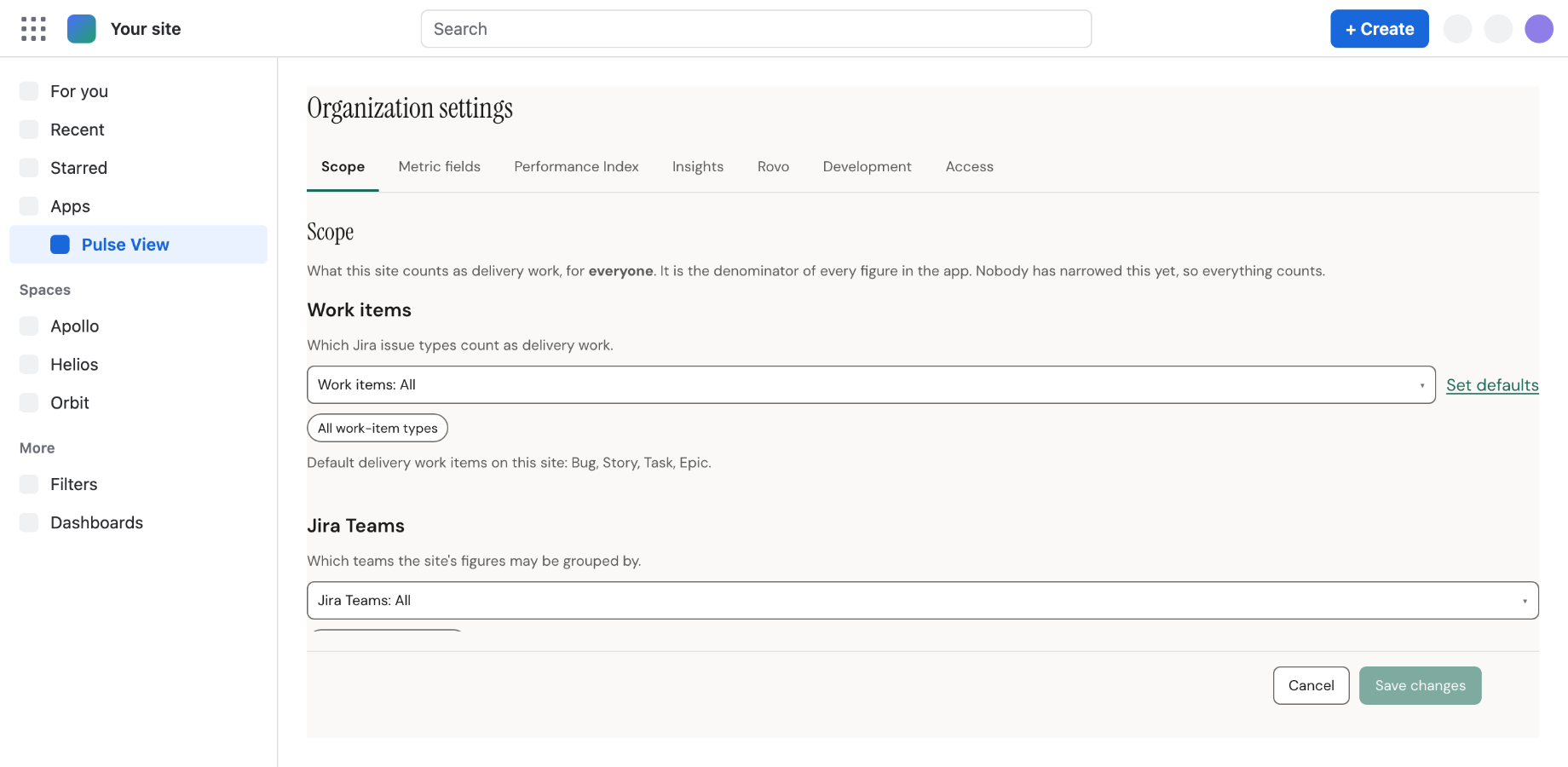
Admins set the scope once for the whole site: which work-item types, Jira Teams and spaces count.
One site-wide setup
Admins set the scope once for the whole site: which work-item types, Jira Teams and spaces count.
What it does

PulseView reads the Jira work your teams already resolve and tells you what it means.

  • Overview brief: findings ranked by root cause, each with its rule, threshold and evidence
  • Team and People: compare teams, read each Performance Index term by term, see who to recognise and support
  • Trends and Work: weekly horizons, an outlook shown with its own past error, lead time and the bug backlog
  • Development (optional): resolved work with code linked, open pull requests and failing builds, from Jira's own data
  • AI Studio and Rovo: prompts with names pseudonymised, and an agent that answers from the app's figures
  • One site-wide setup: admins set the scope, the Effort and Impact fields and the Performance Index weights
  • Access: admins decide who sees which teams and people; every figure follows
Admins choose how delivery is weighed for everyone: Balanced, Value first, Steady delivery or Custom.
Read-only Jira scopes
No external calls
Data kept in Forge storage, within Atlassian
Built on Atlassian Forge

Built to be trusted.

Read-only Jira scopes, no external calls, data in Forge storage. Figures appear only once the whole range is read; an unmapped metric is absent, not a zero.